
NFC business card
NFC Business Card: Honest Buyer's Guide 2025
NFC Business Card: An Honest Buyer's Guide for 2025
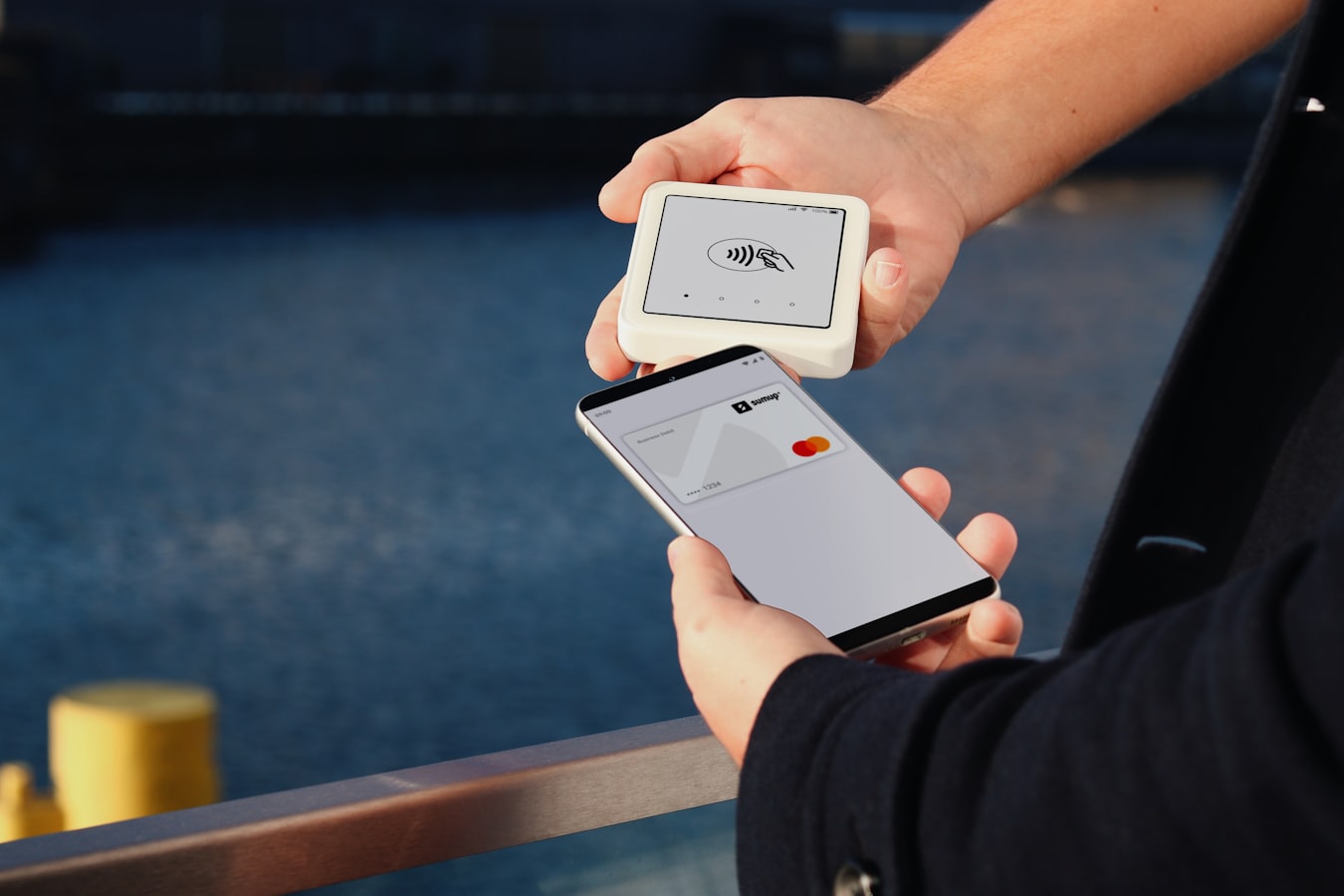
An NFC business card sounds like the future. You tap your card to someone's phone, and your contact details show up. No paper. No typing. It feels like a small bit of magic.
But before you buy one, it helps to know what you are actually paying for. The tap is not the product. The tap is just the doorbell. What matters is what happens after someone answers the door.
This guide separates the hardware from the software. It explains what an NFC business card costs in 2025, how it compares to a QR code or a plain link, and how to decide if the tap is worth it for you. The goal is a clear choice, not a shopping spree.
What an NFC Business Card Actually Is (and What It Is Not)
An NFC business card is a physical object with a tiny chip inside. NFC stands for Near Field Communication. When another phone comes close, it reads the chip and opens a web page. That page is your digital card.
Here is the part people miss. The chip does not store your contact details in any rich way. It stores a small piece of text, almost always a URL. When someone taps, their phone opens that URL. Everything they see, your name, title, phone number, photo, and links, lives on the web page, not on the chip.
So the NFC card is a launcher. It launches a link. That is its whole job.
What it is not: it is not the digital card itself. The card is the web page. The chip just points to it. If you want the full plain-English version of how this works on both ends, our guide on how to write an NFC tag for a business card walks through it step by step.
One more thing that surprises people. You do not need branded, expensive hardware to do this. Any blank NFC tag can be written with your link. A pack of blank tags costs very little. The chip does not care whose logo is printed on it. This matters for your budget, and we will come back to it.
Also worth saying plainly: the person receiving your tap needs no app and no signup. Their phone reads the tag and opens the page. That is the whole point. If a service tells you the other person has to install something first, that defeats the purpose. Our piece on how a digital card works without an app covers this in more detail.
What Does an NFC Business Card Cost in 2025?
There are two costs, and they are easy to mix up. Keeping them separate is the key to a smart decision.
Cost one: the hardware. This is the physical thing that holds the chip. Your options range widely.
- Blank NFC tags or stickers. These are the cheapest option. You buy a small pack, write your link to them, and stick them where you want. A tag on the back of your phone works fine.
- Printed plastic or metal NFC cards. These look like a real business card and feel nice to hand over. They cost more, sometimes a lot more, especially with custom printing.
- Novelty items. NFC rings, wristbands, or keychains. These are more about style than function.
The chip inside all of these is roughly the same. You are mostly paying for the material, the printing, and the brand. A metal card feels great in the hand. It does not send your details any better than a fifty cent sticker.
Cost two: the software. This is the digital card the tap opens. This is the part that does the real work. It holds your name, your title, your links, and your photo. It is what people actually save.
Some sellers bundle the two together and make the price sound like one thing. Watch for that. When hardware and software are bundled, you often pay a monthly fee tied to a card you already bought. If you lose the card or change jobs, the math gets awkward.
A cleaner approach is to treat them as two separate purchases. Buy cheap blank tags. Pay for good software. That way the tag is disposable and the card is what you invest in.
On pricing for software: be wary of any promise that a single tier is right for everyone. Costs depend on how many people need cards and what features you need. For a wider look at how services stack up, our best digital business card app guide is a good place to compare.
NFC vs QR Code vs Link: Which Sharing Method Fits You?
Here is the honest truth. NFC, QR codes, and plain links all do the same thing. They open your digital card on someone's phone. The difference is how the phone gets there.
NFC (the tap). Fast and a little bit fun. You tap your card to their phone and the page opens. It works best one on one, up close, when both people have a moment. The downside: not every phone taps the same way, and some phones need NFC turned on. It can feel awkward if the tap does not land on the first try.
QR code (the scan). Reliable and cheap. The other person opens their camera, points it at the code, and taps the link that pops up. This works across almost every modern phone. It also works at a distance, on a screen, on a flyer, or on a slide. The one rule: the code has to actually scan. Our guide on fixing a QR code business card so it gets scanned covers the common mistakes.
Link (the share). The simplest of all. You send your card URL in a text, an email, or a chat. No hardware needed. This is the method most people use most of the time, even if they own an NFC card. You can add the same link to your email signature, your Instagram bio, or your LinkedIn profile.
Notice something. All three point to the same web page. So the sharing method is a preference, not a foundation. You can own all three at once. Many people tap when they can, show a QR code when they cannot, and paste a link when nobody is in the room.
If you meet people face to face all day, a tap is a nice touch. If you share your card mostly online, you may never need one. There is no wrong answer here. There is only what fits your day.
The Part the Tap Cannot Do on Its Own: Your Digital Card
Say you bought the nicest metal NFC card money can buy. Someone taps it. A page opens. What do they see?
That page is where the real value is. And it is where most of the thinking should go.
A good digital card shows your name and title clearly. It has a photo so the person remembers your face. It lists your phone and email in a way that saves to their contacts with one tap. It links to the places that matter, your site, your booking page, your profiles. If you want to build one that actually looks like you, our walkthrough on how to make a digital business card helps.
The biggest thing a good digital card gives you is the power to change it. Paper cannot do this. A printed card is frozen the day it prints. When your title changes or your number changes, every card you handed out is now wrong.
A digital card fixes this. You edit once, and every tap, scan, and link shows the new details. The card in someone's phone from six months ago points to the same page, so it updates too. Our guide on updating your digital business card with one edit explains why this matters more than most people expect.
This is where a tool like BeamHello fits. It turns your contact details into a digital card at a URL you share by tap, QR code, or link. The person receiving it needs no app and no signup to save your info. The NFC tag is just one way to open that URL. The card itself is the thing that does the work, and it stays current because you can edit it any time.
To be clear about what this is not: it is not a way to capture the other person as a lead, and it is not a tool that scrapes or appends data. It only holds what you choose to put on your card. The person is the point, not a funnel. If that matters to you, our note on a digital card that needs no sign up says more.
Who Gets the Most Value From NFC Cards (and Who Probably Does Not)
NFC is not for everyone. Being honest about that saves you money.
People who get real value from an NFC card:
- Those who meet people in person constantly. Sales reps at events, agents at open houses, folks working a booth. A tap is quick and it looks sharp. Our guides for sales teams and realtors go deeper on this.
- Anyone who wants a small wow moment. The tap has a bit of charm. In the right setting, that charm helps you stand out.
- Teams that want a consistent look in the field. If your whole crew hands out matching cards, the NFC card supports that. See our thoughts on digital cards for teams.
People who probably do not need one:
- Those who share their card mostly online. If your meetings are on video and your intros happen over email, a QR code and a link cover you completely.
- Budget-minded solo workers. A blank tag or a QR code does the same job for almost nothing. Freelancers and coaches often find the link alone is plenty.
- Anyone who changes roles or details often. The physical card does not change. Only the digital page changes. So the tap is a nice bonus, not a need.
For agencies managing cards across many clients, the sharing method matters less than the system behind it. Our pages on agency multi client card management and white label cards for client teams speak to that directly. Law firms have their own considerations too, covered in our digital business cards for law firms guide.
Do You Actually Need an NFC Business Card in 2025?
Here is the short version. You need a good digital card. You do not necessarily need NFC hardware to share it.
Ask yourself three plain questions.
How do I meet people? If it is face to face, often, in quick moments, a tap earns its keep. If it is online or over email, the tap sits in a drawer while your link does all the work.
What is my budget? A blank NFC tag costs almost nothing and does the same thing as a fancy card. If you want the nice metal feel, that is a style choice, and that is fine. Just know you are paying for the feel, not for better function.
What actually matters to my contact? The person on the other end does not care how they got to your page. They care that it opens fast, looks clean, and saves to their phone without a fuss. A card that respects them beats a shiny gadget every time. Our piece on sharing contact info without the awkward dance leans into this.
The tap is a feature. It is a good one in the right hands. But it is not the point. The point is a card that is current, easy to save, and true to who you are today. Get that part right first. Then decide if you want to add a tap on top.
If you are still weighing paper against digital in general, our honest paper versus digital comparison lays it out side by side. And if you are new to the whole idea, start with what a digital business card is.
Buy the software that does the work. Treat the hardware as optional. That is the calm, honest way to spend your money in 2025.