
vcard qr code
vCard QR Code: What It Is and How It Works
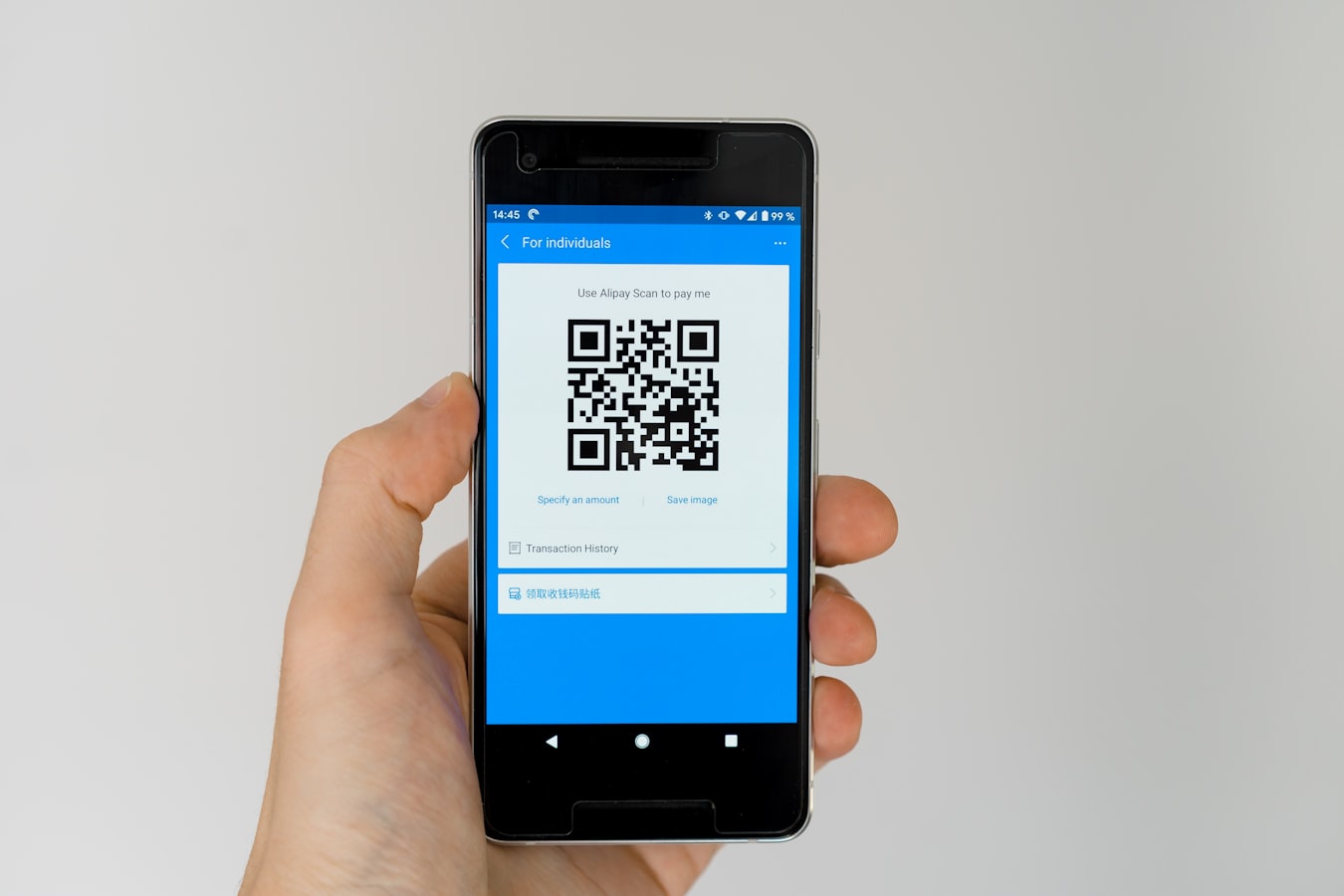
vCard QR Code: What It Is, How It Works, and How to Make One That Never Goes Stale
You meet someone. They want your contact info. You could spell out your email letter by letter, or you could let them point their phone camera at a code and be done in three seconds. That second option is what a vCard QR code makes possible.
This guide explains exactly what a vCard QR code is, how the data flows from scan to saved contact, and why the static version has a quiet flaw worth knowing about before you print anything.
What Is a vCard QR Code (and What's Actually Inside It)?
A vCard is a file format for contact information. The technical name is VCF (Virtual Contact File), and it has been around since the mid-1990s. When you save a contact on your phone, export it, and get a .vcf file, that is a vCard.
A vCard QR code is simply a QR code that encodes either the raw vCard data or a link to a vCard file. When someone scans it, their phone reads the contact details and offers to save them.
The data inside a standard vCard can include:
- Full name
- Job title and company
- Phone numbers (mobile, office, direct)
- Email address
- Website
- Mailing address
- A short note or bio
- Sometimes a small photo
Because QR codes are just encoded text, anything that fits into a vCard file can technically be packed into a QR code. The more data you add, the denser the QR code pattern becomes, but modern phone cameras handle that fine.
If you are still getting familiar with the broader category, what is a digital business card is a good place to start before going deeper here.
How a vCard QR Code Works: From Scan to Saved Contact
The flow is straightforward.
- You generate a vCard QR code. A tool encodes your contact details into a QR code image.
- Someone scans the code. Their phone camera or a QR reader app reads the encoded data.
- The phone decodes it. If the QR code contains raw vCard data, the phone parses it directly. If the QR code contains a URL pointing to a
.vcffile, the phone fetches that file from the web. - A save prompt appears. The phone asks the person if they want to add the contact. They tap yes. Done.
No app needed on their end. No account. No signup. The person scanning your code just gets a native "Add Contact" prompt on whatever phone they are using, whether that is an iPhone or an Android.
This is why vCard QR codes have become popular on business cards, email signatures, conference name badges, and even office door signs. Scan, tap, saved. That is pretty much all there is to it.
The Problem with Static vCard QR Codes
Here is the catch.
When you generate a traditional vCard QR code, the contact data is baked into the code at the moment you create it. Change your phone number six months later, and every printed copy of that QR code still points to the old number. The code itself cannot be edited after the fact.
This is the same problem that paper business cards have always had. The moment something in your life changes, your printed materials become quietly wrong. You either reprint everything, or you let people save outdated information.
There is also a depth problem. A static vCard QR code can only carry what fits in a vCard file. It cannot show your headshot at full size, link to your LinkedIn, carry a short video introduction, or let someone message you directly. It is a text dump in a square grid.
For a professional who updates their role every couple of years, or a sales team where reps come and go, or an agency managing cards for multiple clients, static vCard QR codes create ongoing maintenance work with no clean solution.
How BeamHello Gives You a Living vCard QR Code
BeamHello takes a different approach. Instead of encoding your contact details directly into a QR code, it gives you a personal URL. That URL is your digital card. The QR code simply points to it.
So when you change your title or number, you update it once in your BeamHello profile. The URL stays the same. Every printed QR code, every link in every email signature, every NFC tap still works, because they all point to the same address that now shows your current details. No reprinting. No chasing down old copies.
The person receiving your card still gets a clean, no-signup experience. They scan your QR code, your card opens in their browser, and they can save your contact with one tap. No app required on their end.
Your card can also carry more than a plain vCard: a photo, links, a brief bio, and a direct call or email button. It is a living contact page, not a one-time file download.
This matters especially for teams. Whether you are coordinating cards for a law firm, managing digital business cards for realtors, or handling white label cards for client teams as an agency, keeping everyone's info current from one place means the person behind each card is always accurately represented, not just the version of them that existed on the day you hit print.
How to Make Your vCard QR Code in Minutes
Getting set up with BeamHello is quick. Here is how it goes.
- Create your profile. Add your name, title, company, phone, email, and any links you want to include. Your personal URL is created automatically.
- Your QR code is generated for you. BeamHello produces a QR code tied to your URL. Download it, screenshot it, or copy the link.
- Put it wherever people will see it. Add it to your email signature, print it on a physical card, display it on your phone lock screen, or write it to a blank NFC tag to tap-share.
- Update whenever you need to. Log in, change whatever has changed, save. Everyone who scans your code from that point forward sees the new information.
That last step is the one that traditional vCard QR codes cannot offer. The code is always the same. The card behind it can change anytime.
Who Gets the Most Out of a vCard QR Code
A few kinds of people feel the difference right away.
Sales professionals. Titles change. Numbers get reassigned. A living QR code means their card is always accurate without a reprint conversation with the marketing team.
Real estate agents. When you are moving between showings and open houses, being able to share your card by QR code, link, or tap just keeps things moving. See more on how this works on the digital business cards for realtors page.
Agencies and consultants. Managing cards for a roster of clients or staff is much easier when everything lives in one dashboard. The agency multi-client card management approach lets you update a card without ever touching the QR code itself.
Anyone who has reprinted paper cards more than once. If you have ever ordered a new box of cards just because your title changed, the living vCard QR code is the straightforward fix.
A vCard QR code, at its core, is just a fast way to hand someone your contact information. The version worth having is one that stays accurate long after the first scan.