
how to share contact info at a trade show
Share Contact Info at a Trade Show
How to Share Contact Info at a Trade Show (Without Losing the Connection)
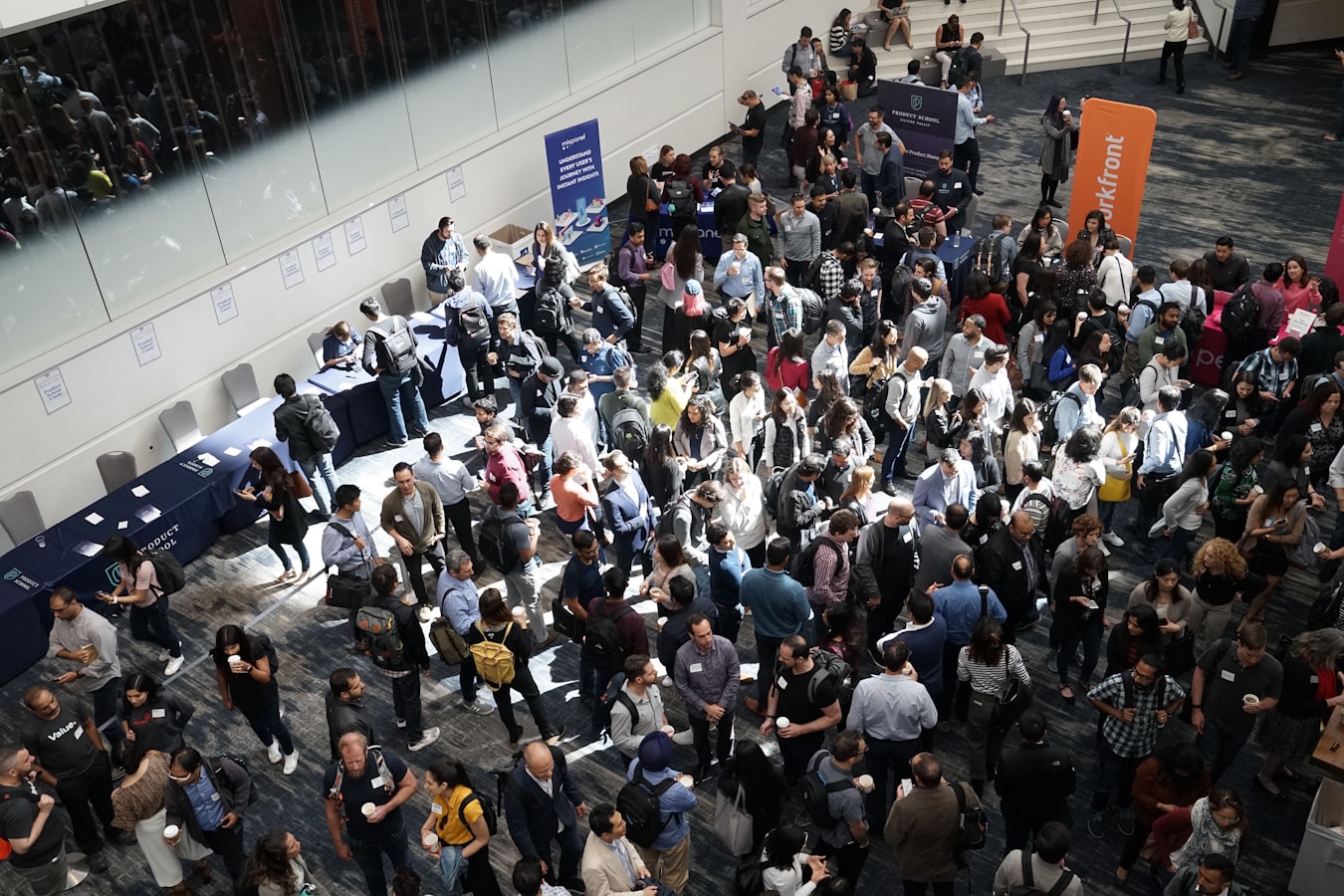
Trade shows move fast. You shake hands, exchange thirty seconds of context, and then someone else walks up and the moment is gone. The paper card you just handed over gets stuffed into a tote bag with seventeen others, survives a crumpled flight home, and ends up on a desk until someone sweeps it into the recycling bin.
There is a better way to share contact info at a trade show. It does not require an app download for the person you just met. It does not require you to reprint anything. And it still works when your booth is loud, crowded, and your hands are full of demo materials.
Here is what actually works, booth level and practical.
Why Paper Cards Vanish Before You Get Home
Paper cards have one real problem: they are static. The moment your title changes, your number rolls to a new office, or you rebrand, every card you printed is wrong. You either reprint or hand out cards with an asterisk.
The second problem is physical. A trade show generates a small mountain of paper. Attendees are carrying tote bags, catalogs, branded stress balls, and yes, stacks of cards from people they half-remember. Most of those cards do not survive the trip. The ones that do rarely get entered into a contact list.
If you want to understand just how fast paper cards disappear after a show, the truth about paper business cards after a conference is worth a read before your next event.
The short version: if your info is not saved digitally within a few hours of the conversation, the odds of that connection going anywhere drop sharply.
What Actually Works on a Loud Trade Show Floor
A trade show floor is not a quiet coffee meeting. Music, crowds, demos running at full volume, announcements over a PA system. You need something that works when you cannot hear each other and when neither of you has a free hand.
What works in that environment:
A QR code that is easy to find. Not buried in small print at the bottom of a banner. Big, high-contrast, and placed somewhere a person can aim a phone at without contorting themselves. Your phone lock screen, a card holder on the table, a badge holder around your neck. If you want to think through where QR fits into a contact-sharing strategy, QR code for business card covers the practical side clearly.
A tap. If you have an NFC tag written with your card's URL, a single tap of your phone or tag to theirs opens your card in their browser. No searching, no typing. It feels like a small magic trick, which people remember.
A short link you can say out loud. Sometimes the simplest thing is just telling someone "go to beamhello.com/yourname" and they type it right there. It is less elegant than a tap, but it works in a pinch.
All three of these land in the same place: your digital card, open in their browser, ready to save.
Three Ways to Share Your Contact Info at a Trade Show
1. QR code on your badge or table card
Print or display your BeamHello QR code anywhere that is easy to scan. Badge holders, small acrylic stands, the back of a product sheet. The person you just met opens their camera, points it at the code, and your card loads. They tap "Save Contact" and you are in their phone. Done in under ten seconds.
2. NFC tap
Write your BeamHello card URL to a blank NFC tag. You can use an inexpensive sticker tag, a card-sized tag, or a small stand at your booth. When someone taps their phone to it, the card opens automatically. No camera needed, no typing. If you have not set one up before, how to write an NFC tag for a business card walks through the process step by step.
3. Send the link directly
If someone hands you their phone to type in your info (it happens), just open your BeamHello card URL and hand it back. They are already looking at it. Or text the link to yourself from their phone before you give it back. Either way, your card is in their hands.
What all three methods share: the person receiving your info does not need to download anything or create an account. They open a link in their browser and save what they want. That is the whole experience on their end.
What the Other Person Has to Do (Spoiler: Almost Nothing)
This is the part that matters most. At a trade show, asking someone to download an app is a real friction point. They are busy, their storage is probably full of photos from the show floor, and they have twelve other conversations waiting.
BeamHello is built so the person receiving your card never needs an app or a signup. They tap or scan, your card opens in their browser, and they hit "Save to Contacts." That is it. The contact lands in their phone's native address book, the same place contacts from their mom and their best client live.
No account wall. No download prompt. No "sign up to view the full card." Just your name, your number, your face, and a button to save it.
This matters at a trade show specifically because the bar for following up on something is already low. You do not want to add any more friction between the conversation and the save.
Keep Your Info Current Before, During, and After the Show
One of the quietest advantages of a digital card is that you update it once and it is current everywhere, instantly. If you picked up a new title two weeks before the show, you do not reprint. You edit your card. Everyone who saved it or visits it after the show sees the right information.
That includes:
- Your correct title and company name if anything changed since your last event
- The right phone number (cell, direct, or office depending on what you want trade show contacts to reach)
- A link to your portfolio, calendar booking page, or product page if those are relevant for people you meet at shows
- A photo that actually looks like you at a professional event, not a five-year-old headshot
If your role means your card needs to reflect different contexts (some professionals carry one card for clients and a different card for referral partners), updating your digital business card is simpler than most people expect.
Sales teams showing up together at a show should coordinate before they walk in the door. Consistent cards across a team make a better impression than a patchwork of formats. Digital business cards for sales teams covers how to think about that as a group.
The Follow-Up Is Where the Connection Becomes Real
Sharing contact info at a trade show is step one. The connection becomes real when you follow up within a day or two while the conversation is still fresh.
A digital card helps here in a specific way: when someone saves your card, they have your actual contact details in their phone. They can text you, email you, or look you up without doing anything extra. You are already in their contacts, not buried in a stack of paper they have to sort through.
Your follow-up note can be short. Reference something specific from your conversation. That specificity is what separates a memorable message from noise. If you want a framework for this, how to follow up after a networking event is practical and brief.
You can also add a link to your digital card in your email signature so every message you send after the show is another quiet touchpoint. A digital business card in your email signature keeps your contact details one click away for anyone you correspond with after you get back.
Trade shows are loud, fast, and full of forgetting. A card that lives at a URL, opens in any browser, and saves to a real contact list is built for that environment. Beam a hello before the next show and see how much less paper you carry home.